Node-RED is fantastic for building IIoT integrations quickly. Drag, drop, wire, deploy — you have a working MQTT-to-database pipeline in minutes. But then comes the question every production deployment forces you to answer: how do I version this? How do I test it? How do I deploy it without clicking buttons?
The answer is treating Node-RED flows as code — putting them in Git, writing automated tests, building Docker images, and deploying through CI/CD pipelines. This post shows the complete setup, from repo structure to GitHub Actions.
The Problem with Node-RED in Production#
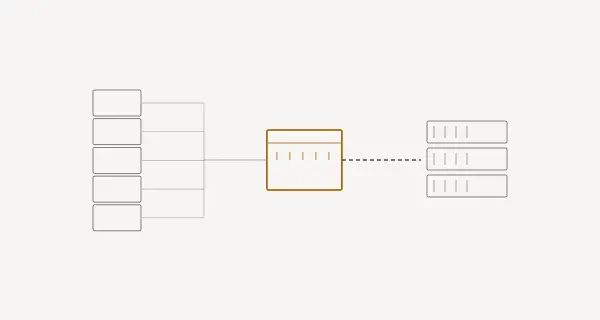
In a typical Node-RED setup, flows live inside the running instance:
This leads to real problems:
- No version history — who changed what, when, and why?
- No testing — a typo in a function node brings down production
- Manual deployment — SSH into the server, restart Node-RED, pray
- Environment drift — dev and prod diverge silently
- No rollback — reverting means manually importing an old export (if you saved one)
Project Structure#
Here’s the repo structure I use for production Node-RED projects:
node-red-project/
├── .github/
│   └── workflows/
│       └── ci-cd.yml           ← GitHub Actions pipeline
├── flows/
│   ├── flows.json              ← main flow file
│   └── flows_cred.json         ← encrypted credentials (optional; name Node-RED expects)
├── custom-nodes/
│   └── node-red-contrib-mynode/
│       ├── mynode.js
│       ├── mynode.html
│       └── package.json
├── test/
│   ├── mynode_spec.js          ← unit tests
│   └── integration_spec.js    ← integration tests
├── config/
│   ├── settings.js             ← Node-RED settings
│   ├── settings.dev.js         ← dev overrides
│   └── settings.prod.js        ← prod overrides
├── Dockerfile
├── docker-compose.yml
├── package.json
├── .gitignore
└── README.md
The .gitignore#
node_modules/
.npm/

# Never commit unencrypted credentials
flows_cred.json
*_cred.json

# Local runtime data
.config.runtime.json
.sessions.json

# OS files
.DS_Store
Thumbs.db

# Environment files with secrets
.env
.env.local
.env.production
Critical rule: Never commit flows_cred.json unencrypted. This file contains passwords, API keys, and tokens used in your flow nodes.
Version Control for Flows#
Readable Diffs#
Node-RED saves flows as a single JSON array. By default, it’s minified — a single line change shows the entire file as modified.
Fix this in settings.js:
module.exports = {
    flowFilePretty: true,
    // This formats flows.json with 4-space indentation
    // making git diffs actually useful
};
With pretty-printed flows, a change to one node shows only that node’s diff:
  {
      "id": "abc123",
      "type": "function",
      "name": "Parse Temperature",
-     "func": "msg.payload = msg.payload * 0.1;\nreturn msg;",
+     "func": "msg.payload = parseFloat((msg.payload * 0.1).toFixed(2));\nreturn msg;",
      "outputs": 1,
      "x": 420,
      "y": 180,
      "wires": [["def456"]]
  },
Credential Management#
Node-RED encrypts credentials with a key from settings.js:
module.exports = {
    credentialSecret: process.env.NODE_RED_CREDENTIAL_SECRET || "dev-secret-change-me",
};
For CI/CD, manage credentials through environment variables:
All three use the same env var names:
MQTT_BROKER_URLMQTT_USERNAMEMQTT_PASSWORDDB_CONNECTION_STRINGNODE_RED_CREDENTIAL_SECRET
In your flow, reference environment variables using Node-RED’s ${ENV_VAR} syntax or process.env.ENV_VAR in function nodes.
Testing Node-RED Flows#
Unit Testing Custom Nodes with node-red-node-test-helper#
The official node-red-node-test-helper package lets you test custom nodes without a running Node-RED instance.
Install test dependencies:
npm install --save-dev \
  node-red-node-test-helper \
  mocha \
  chai \
  sinon
Example: Testing a Temperature Converter Node#
Suppose you have a custom node that converts Celsius to Fahrenheit:
// custom-nodes/temperature-convert/temperature-convert.js
module.exports = function(RED) {
    function TemperatureConvertNode(config) {
        RED.nodes.createNode(this, config);
        this.unit = config.unit || "f_to_c";
        const node = this;

        node.on('input', function(msg, send, done) {
            const val = parseFloat(msg.payload);

            if (isNaN(val)) {
                node.error("Payload is not a number", msg);
                if (done) done();
                return;
            }

            if (node.unit === "c_to_f") {
                msg.payload = parseFloat((val * 9/5 + 32).toFixed(2));
            } else {
                msg.payload = parseFloat(((val - 32) * 5/9).toFixed(2));
            }

            send(msg);
            if (done) done();
        });
    }

    RED.nodes.registerType("temperature-convert", TemperatureConvertNode);
};
The test file:
// test/temperature-convert_spec.js
const helper = require("node-red-node-test-helper");
const { expect } = require("chai");
const tempNode = require("../custom-nodes/temperature-convert/temperature-convert.js");

helper.init(require.resolve('node-red'));

describe('temperature-convert Node', function() {
    afterEach(function() {
        helper.unload();
    });

    it('should convert Celsius to Fahrenheit', function(done) {
        const flow = [
            {
                id: "n1",
                type: "temperature-convert",
                name: "C to F",
                unit: "c_to_f",
                wires: [["n2"]]
            },
            { id: "n2", type: "helper" }
        ];

        helper.load(tempNode, flow, function() {
            const n1 = helper.getNode("n1");
            const n2 = helper.getNode("n2");

            n2.on("input", function(msg) {
                try {
                    expect(msg.payload).to.equal(212);
                    done();
                } catch(err) {
                    done(err);
                }
            });

            n1.receive({ payload: 100 });
        });
    });

    it('should convert Fahrenheit to Celsius', function(done) {
        const flow = [
            {
                id: "n1",
                type: "temperature-convert",
                name: "F to C",
                unit: "f_to_c",
                wires: [["n2"]]
            },
            { id: "n2", type: "helper" }
        ];

        helper.load(tempNode, flow, function() {
            const n1 = helper.getNode("n1");
            const n2 = helper.getNode("n2");

            n2.on("input", function(msg) {
                try {
                    expect(msg.payload).to.equal(0);
                    done();
                } catch(err) {
                    done(err);
                }
            });

            n1.receive({ payload: 32 });
        });
    });

    it('should handle non-numeric input gracefully', function(done) {
        const flow = [
            {
                id: "n1",
                type: "temperature-convert",
                name: "Error Test",
                unit: "c_to_f",
                wires: [["n2"]]
            },
            { id: "n2", type: "helper" }
        ];

        helper.load(tempNode, flow, function() {
            const n1 = helper.getNode("n1");
            const n2 = helper.getNode("n2");

            let received = false;
            n2.on("input", function() {
                received = true;
            });

            n1.receive({ payload: "not-a-number" });

            setTimeout(function() {
                try {
                    expect(received).to.be.false;
                    done();
                } catch(err) {
                    done(err);
                }
            }, 100);
        });
    });

    it('should handle freezing point correctly', function(done) {
        const flow = [
            {
                id: "n1",
                type: "temperature-convert",
                name: "Freezing",
                unit: "c_to_f",
                wires: [["n2"]]
            },
            { id: "n2", type: "helper" }
        ];

        helper.load(tempNode, flow, function() {
            const n1 = helper.getNode("n1");
            const n2 = helper.getNode("n2");

            n2.on("input", function(msg) {
                try {
                    expect(msg.payload).to.equal(32);
                    done();
                } catch(err) {
                    done(err);
                }
            });

            n1.receive({ payload: 0 });
        });
    });
});
Running Tests#
npx mocha "test/**/*_spec.js" --timeout 10000 --exitOutput:
  temperature-convert Node
    ✓ should convert Celsius to Fahrenheit (45ms)
    ✓ should convert Fahrenheit to Celsius (38ms)
    ✓ should handle non-numeric input gracefully (142ms)
    ✓ should handle freezing point correctly (36ms)

  4 passing (312ms)
Integration Testing with Docker#
For integration tests, spin up Node-RED in Docker and test flows end-to-end. Note that Node-RED has no built-in /health endpoint — a GET on the admin root (http://localhost:1880/) returns 200 when the editor/admin API is enabled, so we use that as a liveness check. If you want a real /health endpoint, add a tiny http in flow serving /health or install node-red-contrib-healthcheck.
// test/integration_spec.js
const { expect } = require("chai");
const http = require("http");

const NR_URL = process.env.NODE_RED_URL || "http://localhost:1880";

describe('Node-RED Integration Tests', function() {
    this.timeout(30000);

    it('should respond on the admin root (liveness)', function(done) {
        http.get(`${NR_URL}/`, (res) => {
            expect(res.statusCode).to.equal(200);
            done();
        }).on('error', done);
    });

    it('should have flows loaded', function(done) {
        const options = {
            hostname: 'localhost',
            port: 1880,
            path: '/flows',
            headers: { 'Accept': 'application/json' }
        };

        http.get(options, (res) => {
            let data = '';
            res.on('data', chunk => data += chunk);
            res.on('end', () => {
                const flows = JSON.parse(data);
                expect(flows).to.be.an('array').that.is.not.empty;
                done();
            });
        }).on('error', done);
    });
});
Docker Setup#
Dockerfile#
FROM nodered/node-red:3.1

# The official image uses /data as the Node-RED userDir — custom nodes
# must be installed here to be discovered.
WORKDIR /data

COPY package.json /data/
RUN npm install --omit=dev

COPY flows/ /data/
COPY config/settings.js /data/settings.js
COPY custom-nodes/ /usr/src/custom-nodes/

RUN cd /usr/src/custom-nodes/node-red-contrib-mynode && npm install --omit=dev \
    && cd /data && npm install /usr/src/custom-nodes/node-red-contrib-mynode

EXPOSE 1880

ENV NODE_RED_CREDENTIAL_SECRET=""
ENV FLOWS="flows.json"docker-compose.yml#
services:
  node-red:
    build: .
    ports:
      - "1880:1880"
    environment:
      - NODE_RED_CREDENTIAL_SECRET=${NODE_RED_CREDENTIAL_SECRET}
      - MQTT_BROKER_URL=${MQTT_BROKER_URL}
      - TZ=Europe/Berlin
    volumes:
      - node-red-data:/data
    restart: unless-stopped
    healthcheck:
      test: ["CMD", "wget", "--spider", "-q", "http://localhost:1880/"]
      interval: 30s
      timeout: 5s
      retries: 3

  mosquitto:
    image: eclipse-mosquitto:2
    ports:
      - "1883:1883"
    volumes:
      - ./config/mosquitto.conf:/mosquitto/config/mosquitto.conf

volumes:
  node-red-data:
GitHub Actions CI/CD Pipeline#
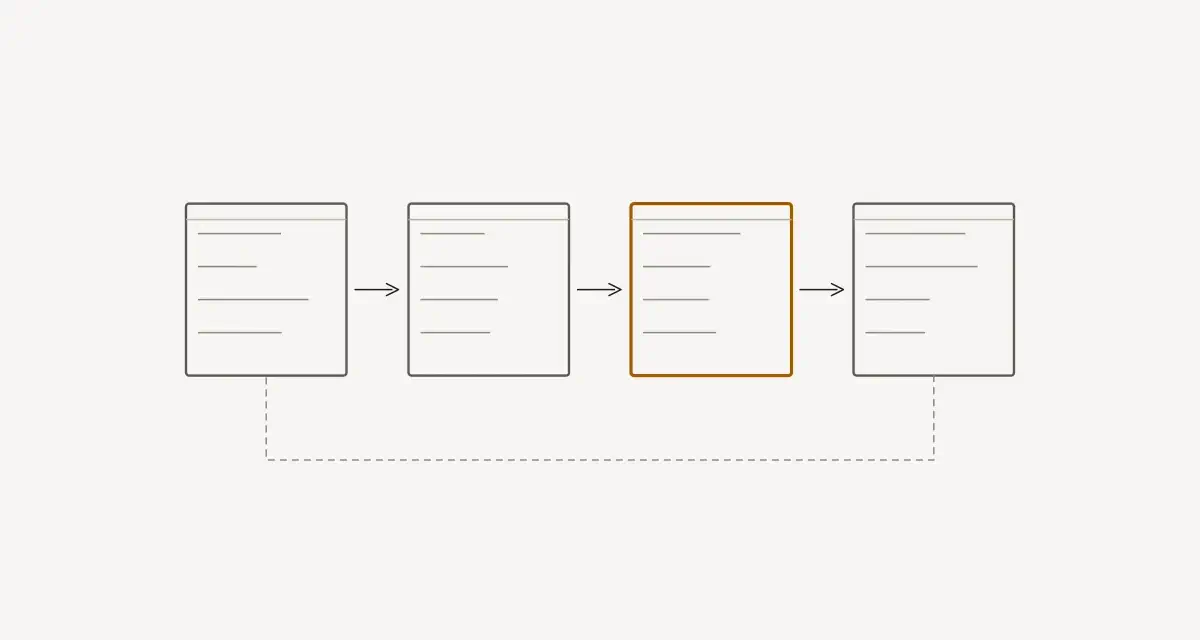
Here’s the complete workflow — from linting to production deployment:
# .github/workflows/ci-cd.yml
name: Node-RED CI/CD

on:
  push:
    branches: [main, develop]
  pull_request:
    branches: [main]

env:
  REGISTRY: ghcr.io
  IMAGE_NAME: ${{ github.repository }}

jobs:
  lint:
    name: Lint
    runs-on: ubuntu-latest
    steps:
      - uses: actions/checkout@v4

      - uses: actions/setup-node@v4
        with:
          node-version: '20'
          cache: 'npm'

      - run: npm ci

      - name: Lint JavaScript
        run: npx eslint "custom-nodes/**/*.js" "test/**/*.js"

      - name: Validate flows.json
        run: |
          node -e "
            const fs = require('fs');
            const flows = JSON.parse(fs.readFileSync('flows/flows.json', 'utf8'));
            if (!Array.isArray(flows)) {
              console.error('flows.json must be a JSON array');
              process.exit(1);
            }
            const nodeIds = flows.filter(n => n.id).map(n => n.id);
            const duplicates = nodeIds.filter((id, i) => nodeIds.indexOf(id) !== i);
            if (duplicates.length > 0) {
              console.error('Duplicate node IDs found:', duplicates);
              process.exit(1);
            }
            console.log('flows.json valid:', flows.length, 'nodes');
          "

  test:
    name: Test
    runs-on: ubuntu-latest
    needs: lint
    steps:
      - uses: actions/checkout@v4

      - uses: actions/setup-node@v4
        with:
          node-version: '20'
          cache: 'npm'

      - run: npm ci

      - name: Unit Tests
        run: npx mocha "test/**/*_spec.js" --timeout 10000 --exit --reporter spec

      - name: Integration Tests
        run: |
          docker compose up -d
          sleep 15
          npx mocha "test/integration_spec.js" --timeout 30000 --exit
          docker compose down

  build:
    name: Build & Push Docker Image
    runs-on: ubuntu-latest
    needs: test
    if: github.ref == 'refs/heads/main'
    permissions:
      contents: read
      packages: write
    steps:
      - uses: actions/checkout@v4

      - uses: docker/login-action@v3
        with:
          registry: ${{ env.REGISTRY }}
          username: ${{ github.actor }}
          password: ${{ secrets.GITHUB_TOKEN }}

      - uses: docker/metadata-action@v5
        id: meta
        with:
          images: ${{ env.REGISTRY }}/${{ env.IMAGE_NAME }}
          tags: |
            type=sha,prefix=
            type=raw,value=latest

      - uses: docker/build-push-action@v5
        with:
          context: .
          push: true
          tags: ${{ steps.meta.outputs.tags }}
          labels: ${{ steps.meta.outputs.labels }}

  deploy-staging:
    name: Deploy to Staging
    runs-on: ubuntu-latest
    needs: build
    environment: staging
    steps:
      - name: Deploy to staging server
        uses: appleboy/ssh-action@v1
        with:
          host: ${{ secrets.STAGING_HOST }}
          username: ${{ secrets.STAGING_USER }}
          key: ${{ secrets.STAGING_SSH_KEY }}
          script: |
            cd /opt/node-red
            docker compose pull
            docker compose up -d
            sleep 10
            curl -f http://localhost:1880/ || exit 1
            echo "Staging deployment successful"

  deploy-production:
    name: Deploy to Production
    runs-on: ubuntu-latest
    needs: deploy-staging
    environment: production
    steps:
      - name: Deploy to production server
        uses: appleboy/ssh-action@v1
        with:
          host: ${{ secrets.PROD_HOST }}
          username: ${{ secrets.PROD_USER }}
          key: ${{ secrets.PROD_SSH_KEY }}
          script: |
            cd /opt/node-red
            docker compose pull
            docker compose up -d --no-deps node-red
            sleep 10
            curl -f http://localhost:1880/ || exit 1
            echo "Production deployment successful"
Pipeline Visualization#
Environment Management#
Strategy: One Flow, Multiple Configs#
Don’t maintain separate flows per environment. Instead, use a single flows.json with environment-specific configuration injected at runtime:
// config/settings.js
const path = require('path');
const env = process.env.NODE_ENV || 'development';

const baseSettings = {
    uiPort: process.env.PORT || 1880,
    flowFile: 'flows.json',
    flowFilePretty: true,
    credentialSecret: process.env.NODE_RED_CREDENTIAL_SECRET,
    logging: {
        console: {
            level: env === 'production' ? 'warn' : 'debug',
            audit: false,
        }
    },
    editorTheme: {
        projects: { enabled: false },
    },
};

if (env === 'production') {
    // disableEditor hides the editor UI but keeps the admin API reachable
    // (so /flows and the admin root still respond for health checks).
    // Setting httpAdminRoot = false would remove the admin routes entirely,
    // which would break the integration tests and deploy health checks below.
    baseSettings.disableEditor = true;
}

module.exports = baseSettings;
A quick distinction worth remembering: disableEditor: true hides the editor UI but leaves the admin API routes in place, while httpAdminRoot: false removes the admin routes entirely. Use the former in production so the editor is locked down but the admin API stays available for the health checks and integration tests above.
Environment Variable Reference#
| Variable | Dev | Staging | Production |
|---|---|---|---|
NODE_ENV | development | staging | production |
PORT | 1880 | 1880 | 1880 |
NODE_RED_CREDENTIAL_SECRET | dev-secret | (GitHub Secret) | (GitHub Secret) |
MQTT_BROKER_URL | localhost | mqtt.staging | mqtt.prod |
MQTT_USERNAME | dev | (GitHub Secret) | (GitHub Secret) |
MQTT_PASSWORD | dev | (GitHub Secret) | (GitHub Secret) |
DB_CONNECTION_STRING | sqlite://... | postgres://... | postgres://... |
DISABLE_EDITOR | false | false | true |
Flow Migration Strategies#
When updating flows, you can’t just swap flows.json — nodes may have runtime state, context data, or persistent connections.
Blue-Green Deployment#
- Deploy new version to Green
- Run health checks on Green
- Switch traffic from Blue to Green
- Keep Blue running for 30 minutes (rollback window)
- Stop Blue
Rolling Restart#
For simpler setups:
#!/bin/bash
# deploy.sh

set -euo pipefail

echo "Pulling latest image..."
docker compose pull

echo "Stopping Node-RED gracefully..."
docker compose stop node-red
sleep 5

echo "Starting new version..."
docker compose up -d node-red

echo "Waiting for health check..."
for i in {1..30}; do
    if curl -sf http://localhost:1880/ > /dev/null 2>&1; then
        echo "Deployment successful!"
        exit 0
    fi
    sleep 2
done

echo "Health check failed — rolling back"
docker compose down
docker compose up -d  # previous image still cached
exit 1
Managing Custom Node Dependencies#
package.json for the Project#
{
  "name": "my-node-red-project",
  "version": "1.0.0",
  "description": "Production Node-RED deployment for Factory Line 1",
  "scripts": {
    "start": "node-red -s config/settings.js -u /data",
    "test": "mocha 'test/**/*_spec.js' --timeout 10000 --exit",
    "lint": "eslint 'custom-nodes/**/*.js' 'test/**/*.js'",
    "dev": "docker compose up --build"
  },
  "dependencies": {
    "node-red": "^3.1.0",
    "node-red-contrib-opcua": "^0.2.300",
    "node-red-dashboard": "^3.6.0",
    "node-red-contrib-nats": "^0.8.0"
  },
  "devDependencies": {
    "node-red-node-test-helper": "^0.3.3",
    "mocha": "^10.4.0",
    "chai": "^4.4.0",
    "sinon": "^17.0.0",
    "eslint": "^8.56.0"
  }
}
Locking Dependencies#
Always commit package-lock.json. In CI, use npm ci instead of npm install:
# npm install — resolves and potentially updates dependencies
# npm ci     — installs exactly what's in package-lock.json (faster, reproducible)
npm ci
Common Pitfalls#
| Pitfall | Solution |
|---|---|
| Committing credentials | Use .gitignore, use env vars, scan with git-secrets |
| Flows diverging between environments | Single flows.json + env vars for config |
| Tests passing locally, failing in CI | Pin Node.js version, use npm ci, set timeouts |
| Docker image too large | Use multi-stage builds, .dockerignore |
| No rollback capability | Tag every deployment, keep previous images |
| Editor left enabled in production | Set disableEditor: true via env var |
Conclusion#
Treating Node-RED flows as code isn’t just a best practice — it’s a survival strategy for production deployments. The moment you have more than one environment or more than one developer, you need version control, automated testing, and repeatable deployments.
The setup described here — Git for versioning, Mocha for testing, Docker for packaging, GitHub Actions for deployment — works for teams of one to twenty. Start with version control and .gitignore. Add tests when you write custom nodes. Add Docker when you deploy to more than one machine. Add CI/CD when you’re tired of SSH-ing into servers.
Every step you add removes a class of “it works on my machine” problems. And in industrial environments, where a broken deployment means a factory floor without data, that reliability is worth the investment.